.net Windows DECL - Documentation
Configuration
Download a sample application from the MedWand GitHub Repository.
Open the solution for the cloned project with the IDE of your choice.
Edit the "App.xaml.cs" file with the values from your ".lic" file.
- Paste your "LicenseString" into the "MwSdkLicense" string.
- Paste your "PublicKey" into the "MwSdkPublicKey" string.
public static readonly string MwSdkLicense = @"";
public static readonly string MwSdkPublicKey = @"";
First Run
Plug your MedWand device into the USB-C port on your computer and run the application.
You should see a window similar to the image below. If you do not, check that your MedWand device is plugged in and
- Your MedWand device is plugged in.
- Verify that it is enumerated in the operating system.
- Verify that you license key values are correct.
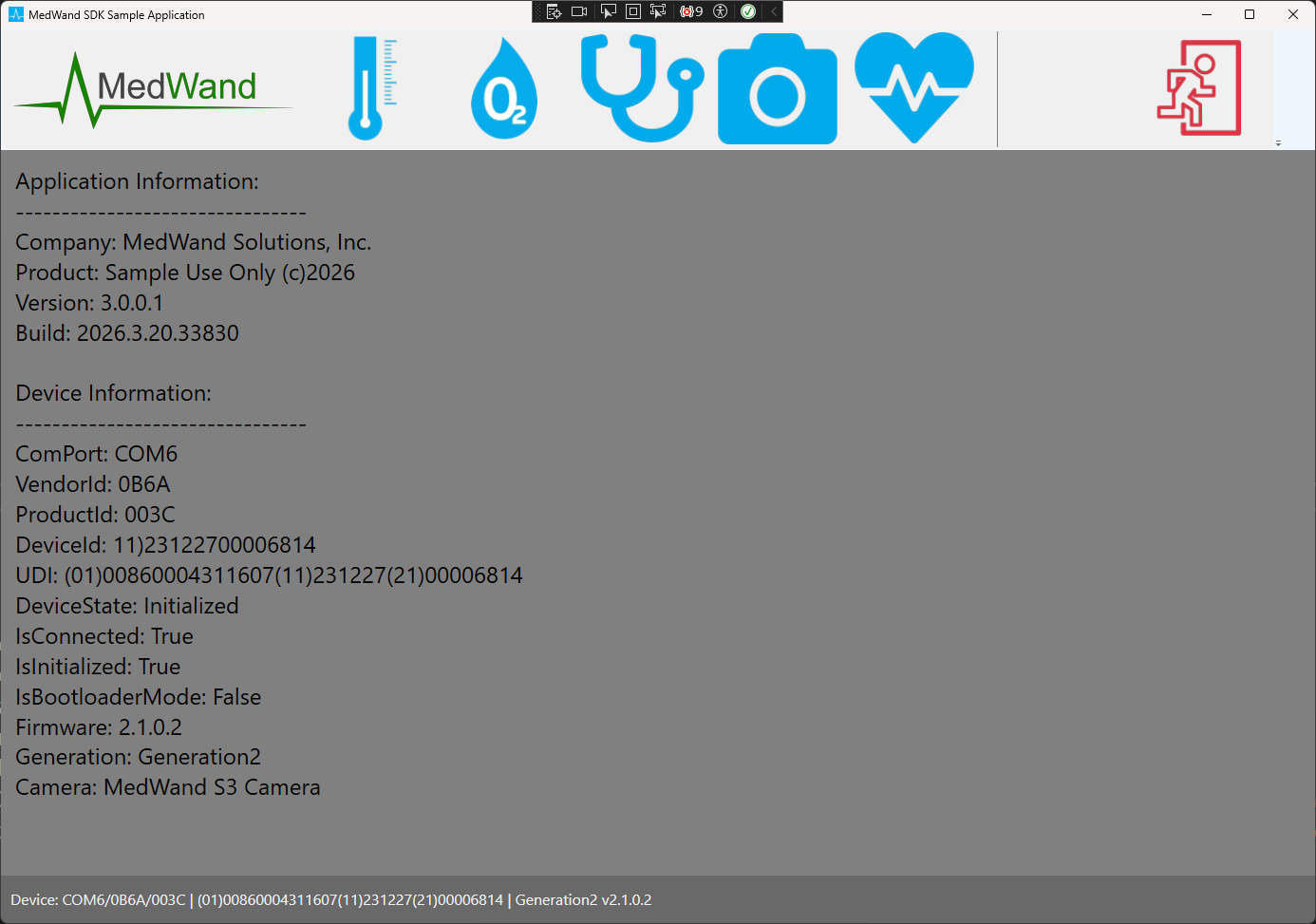
Workflow and Code Review
Working from left to right across the toolbar are the following sensors.
- Thermometer
- Pulse Oximeter
- Stethoscope
- Camera
- ECG
While reviewing the sample code, you will notice we provide different "UI Patterns". This is intentional to help you work within the pattern you might be using.
- Create an instance of the MedWandController
var _medWandController = new MedWandController();
_medWandController.Construct(Settings.MwSdkLicense, Settings.MwSdkPublicKey);
if (!_medWandController.IsLicenseValid) throw new Exception("No valid license"); - Connect to the MedWand
_medWandController.Connect();
if (!_medWandController.IsConnected) throw new Exception("MedWand not found");
_medWandController.DeviceError += MedWandController_MedWandDeviceError;
_medWandController.DeviceStateChanged += MedWandController_DeviceStateChanged; - Initialize the MedWand
_medWandController.Initialize();
if (!_medWandController.IsInitialized) throw new Exception("MedWand not initialized.");
_medWandController.Configure(_ecgView.GridContainer); // If you do not plan to use the ECG, you can pass 'null'
_medWandController.ReadingStateChanged += MedWandController_ReadingStateChanged;
_medWandController.ReadingReceived += MedWandController_ReadingReceived; - Cleanup and dispose
if (_medWandController != null)
{
     _medWandController.StopSensor();
     _medWandController.DeviceError -= MedWandController_MedWandDeviceError;
     _medWandController.DeviceStateChanged -= MedWandController_DeviceStateChanged;
     _medWandController.ReadingStateChanged -= MedWandController_ReadingStateChanged;
     _medWandController.ReadingReceived -= MedWandController_ReadingReceived;
     _medWandController.Dispose();
}
_medWandController = null;
Thermometer
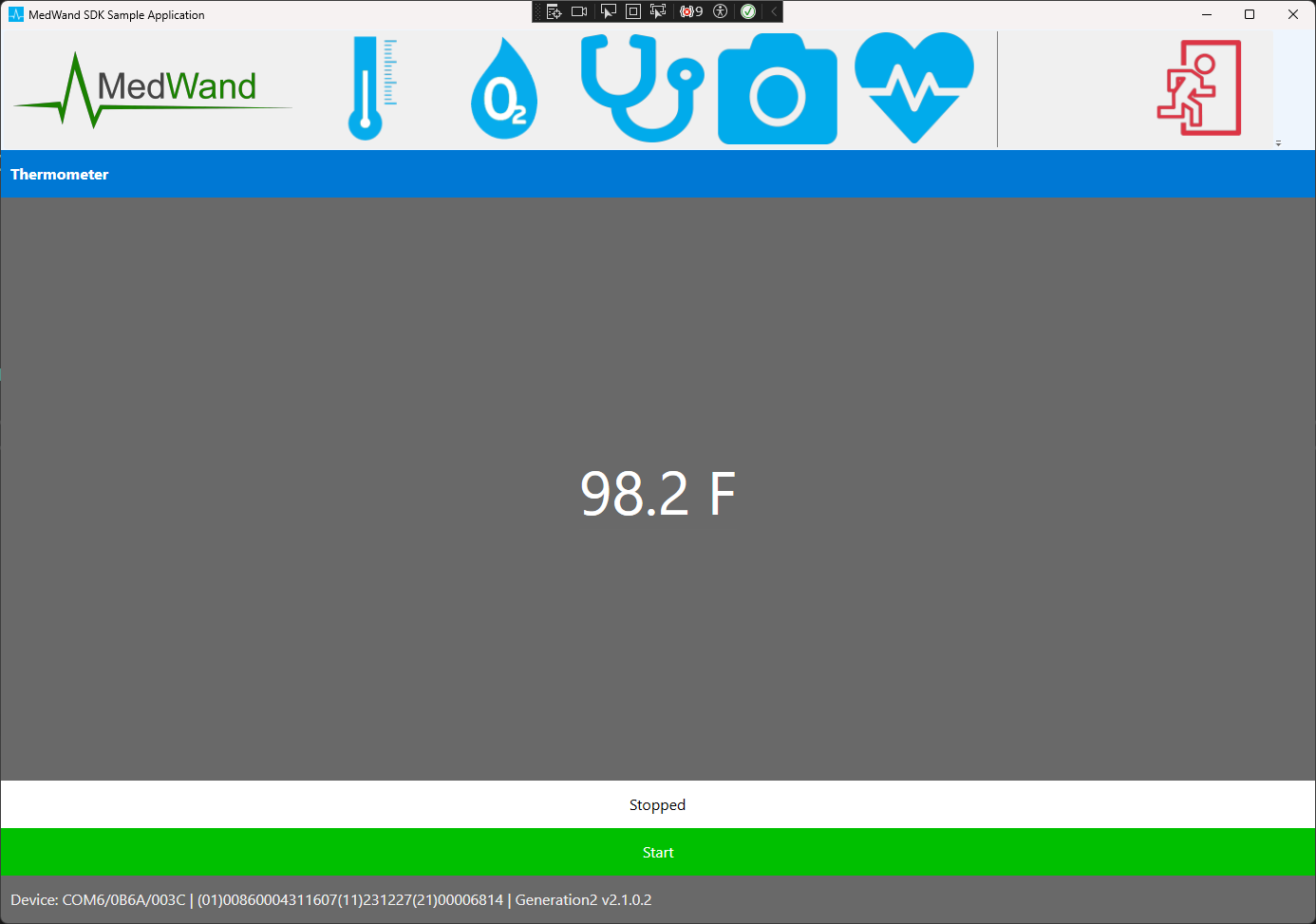
This is a sample of what a thermometer UI might look like.
Start the Thermometer
if (_controller.StartThermometer())
{
     _medWandController.ReadingStateChanged += MedWandController_ReadingStateChanged;
     _medWandController.ReadingReceived += MedWandController_ReadingReceived;
}
else
{
     // Handle the failure to start the sensor
}
Handle the MedWandReading object
public void OnReadingReceived(MedWandReading reading) {
     if (_reading == null) return;
     string FormatTemp(string raw) => string.IsNullOrEmpty(raw) || raw == "Reading" ? "--" : $"{raw} F";
     TempOutput = $"{FormatTemp(_reading.TempObject ?? string.Empty)}"; // TempOutput is a bound getter/setter
}
Stop the Thermometer
_controller.StopSensor();
_medWandController.ReadingStateChanged -= MedWandController_ReadingStateChanged;
_medWandController.ReadingReceived -= MedWandController_ReadingReceived;
Pulse Oximeter
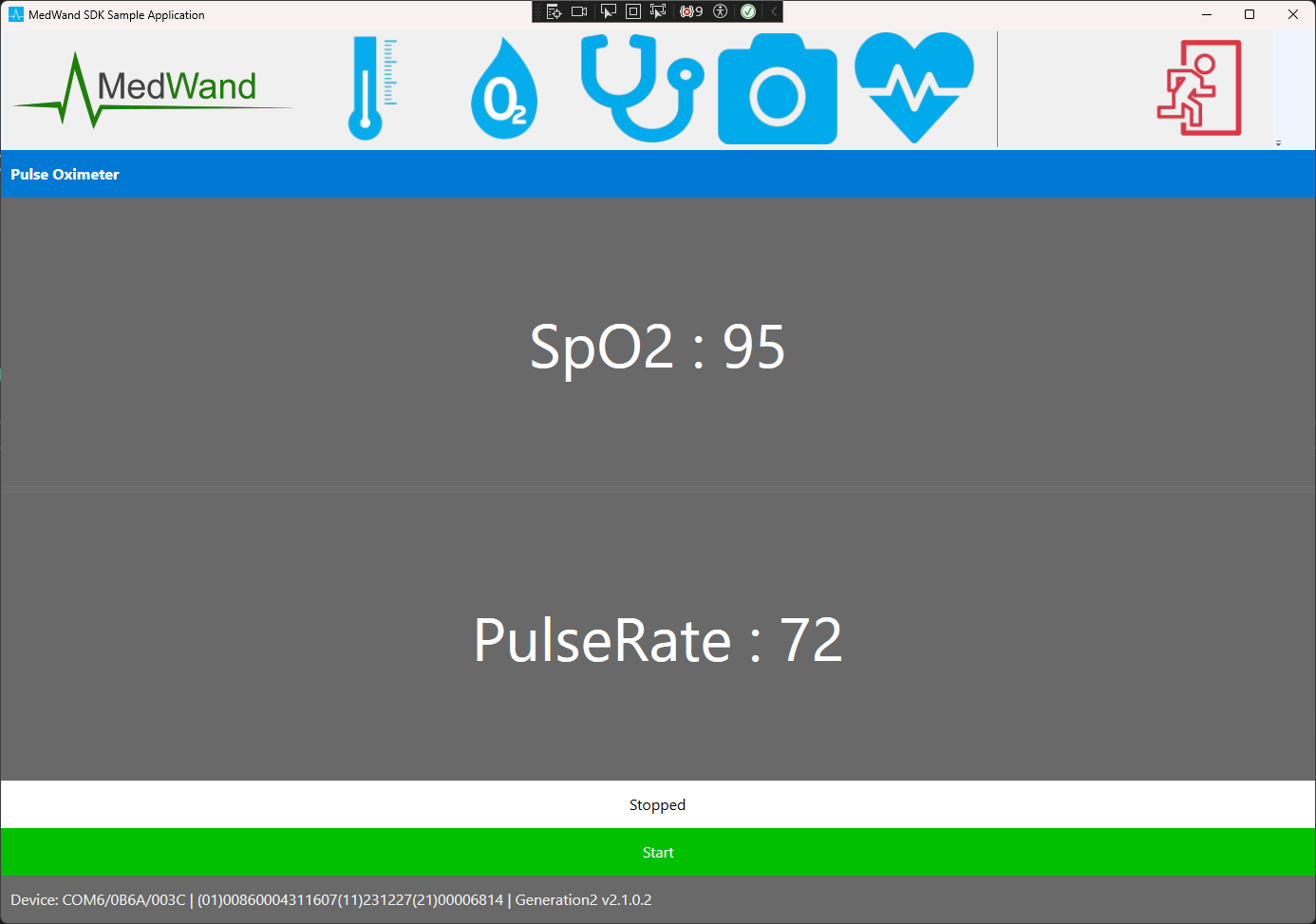
This is a sample of what a pulse oximter UI might look like.
Start the Pulse Oximeter
if (_controller.StartPulseOximeter())
{
     _medWandController.ReadingStateChanged += MedWandController_ReadingStateChanged;
     _medWandController.ReadingReceived += MedWandController_ReadingReceived;
}
else
{
     // Handle the failure to start the sensor
}
Handle the MedWandReading object
public void OnReadingReceived(MedWandReading reading) {
     if (_reading == null) return;
     SpO2Output = $"SpO2 : {_reading.Spo2}"; // SpO2Output is a bound getter/setter
     PulseRateOutput = $"PulseRate : {_reading.PulseRate}"; // PulseRateOutput is a bound getter/setter
}
Stop the Pulse Oximeter
_controller.StopSensor();
_medWandController.ReadingStateChanged -= MedWandController_ReadingStateChanged;
_medWandController.ReadingReceived -= MedWandController_ReadingReceived;
ECG
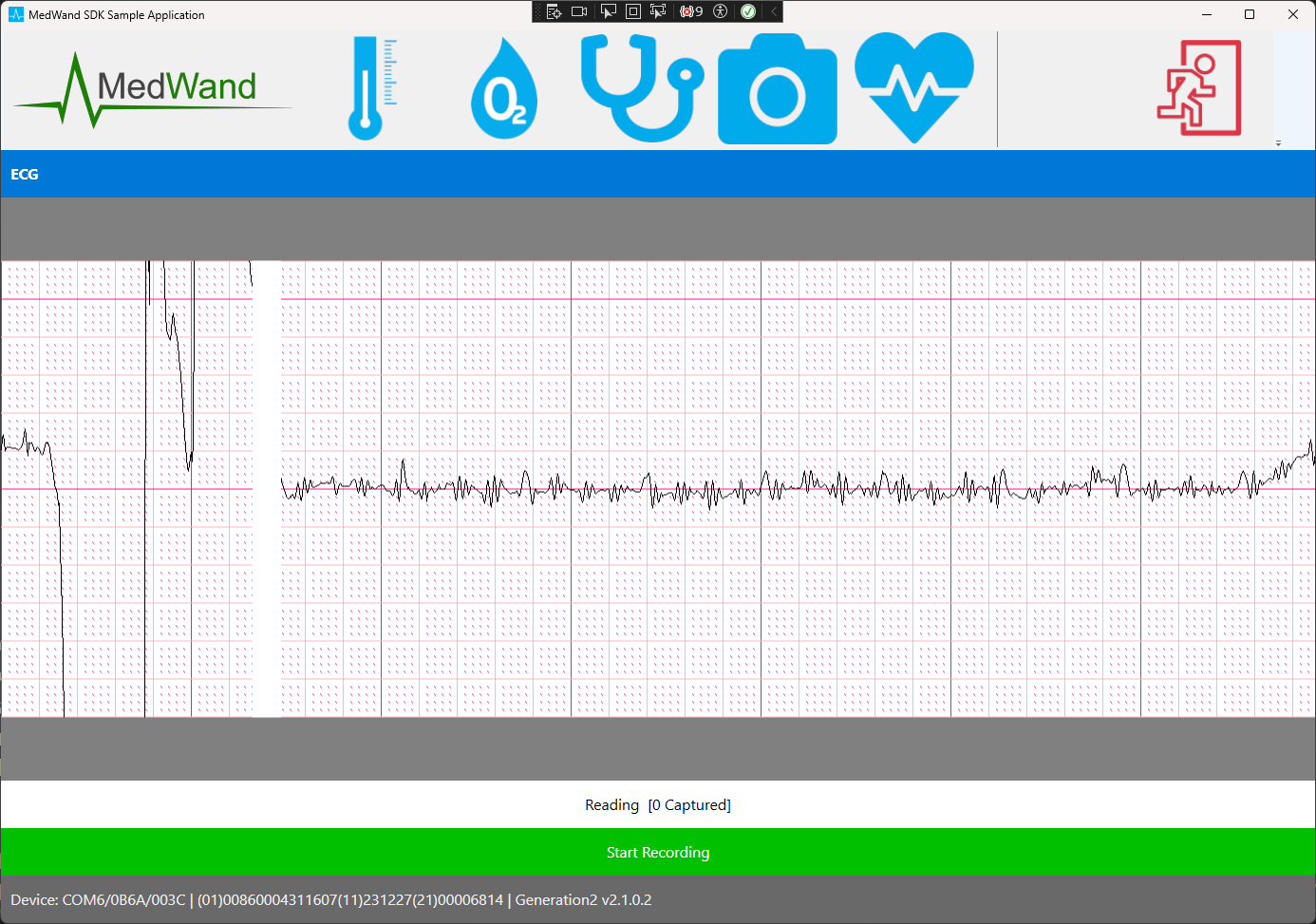
This is a sample of what a ecg UI might look like.
Start the ECG
if (_controller.StartEcg())
{
     _medWandController.Ecg.RecordedStripReady += (sender, bytes) =>
     {
          File.AppendAllText("captures.txt", $"[{DateTime.UtcNow:O}] -> {_medWandController.EcgBmpFromCapture(bytes)}\n");
          _captured++;
     };
     _medWandController.ReadingStateChanged += MedWandController_ReadingStateChanged;
     _medWandController.ReadingReceived += MedWandController_ReadingReceived;
}
else
{
     // Handle the failure to start the sensor
}
Handle the MedWandReading object
public void OnReadingReceived(MedWandReading reading) {
     if (_reading == null) return;
     // The SDK will draw the ECG for you on the container you provided in the '_medWandController.Configure()' call during initialization.
}
Start recording the ECG
_medWandController.StartRecording();Stop recording the ECG
_medWandController.StopRecording();Stop the ECG
_controller.StopSensor();
_medWandController.ReadingStateChanged -= MedWandController_ReadingStateChanged;
_medWandController.ReadingReceived -= MedWandController_ReadingReceived;
_medWandController.Ecg.RecordedStripReady -= (sender, bytes) =>
{
     File.AppendAllText("captures.txt", $"[{DateTime.UtcNow:O}] -> {_medWandController.EcgBmpFromCapture(bytes)}\n");
     _captured++;
};
Stethoscope
This is a sample of what a stethoscope UI might look like.
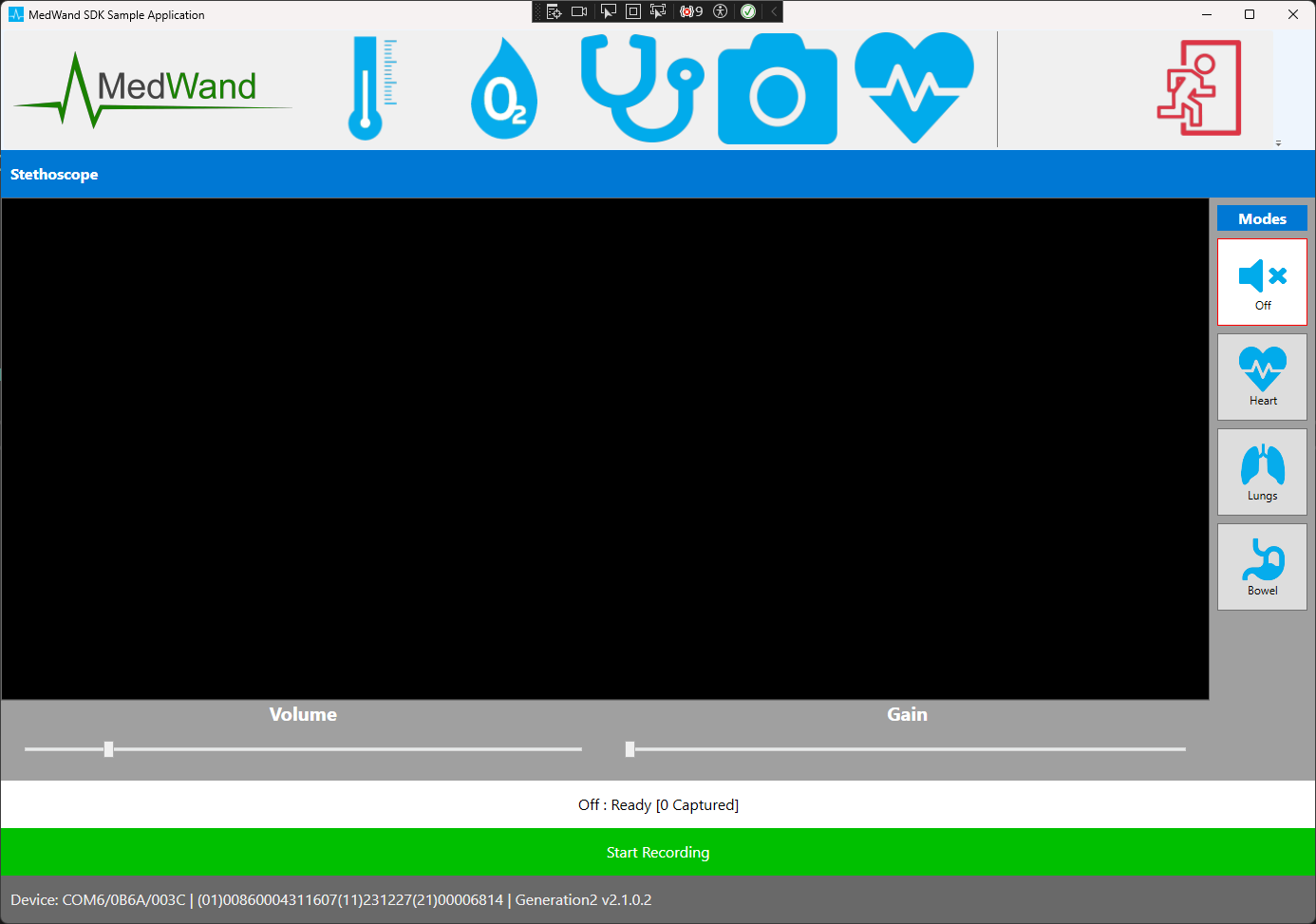
Start the Stethoscope
_medWandController.SetStethoscopeMode(stethoscopeMode, null);
_medWandController.Stethoscope.RecordedFramesReady += (sender, bytes) =>
{
     File.AppendAllText("captures.txt", $"[{DateTime.UtcNow:O}] {_medWandController.StethoscopeModel} {StethoscopeMode} -> {_medWandController.StethoscopeWavFromCapture(bytes)}\n");
     _framesCaptured++;
};
Start recording the Stethoscope
_medWandController.StartRecording();Stop recording the Stethoscope
_medWandController.StopRecording();Stop the ECG
SetStethoscopeMode(MicrophoneModes.Off);
_medWandController.Camera.RecordedFramesReady += (sender, bytes) =>
{
     File.AppendAllText("captures.txt", $"[{DateTime.UtcNow:O}] {_medWandController.StethoscopeModel} {StethoscopeMode} -> {_medWandController.StethoscopeWavFromCapture(bytes)}\n");
     _framesCaptured++;
};
Camera
This is a sample of what a camera UI might look like.
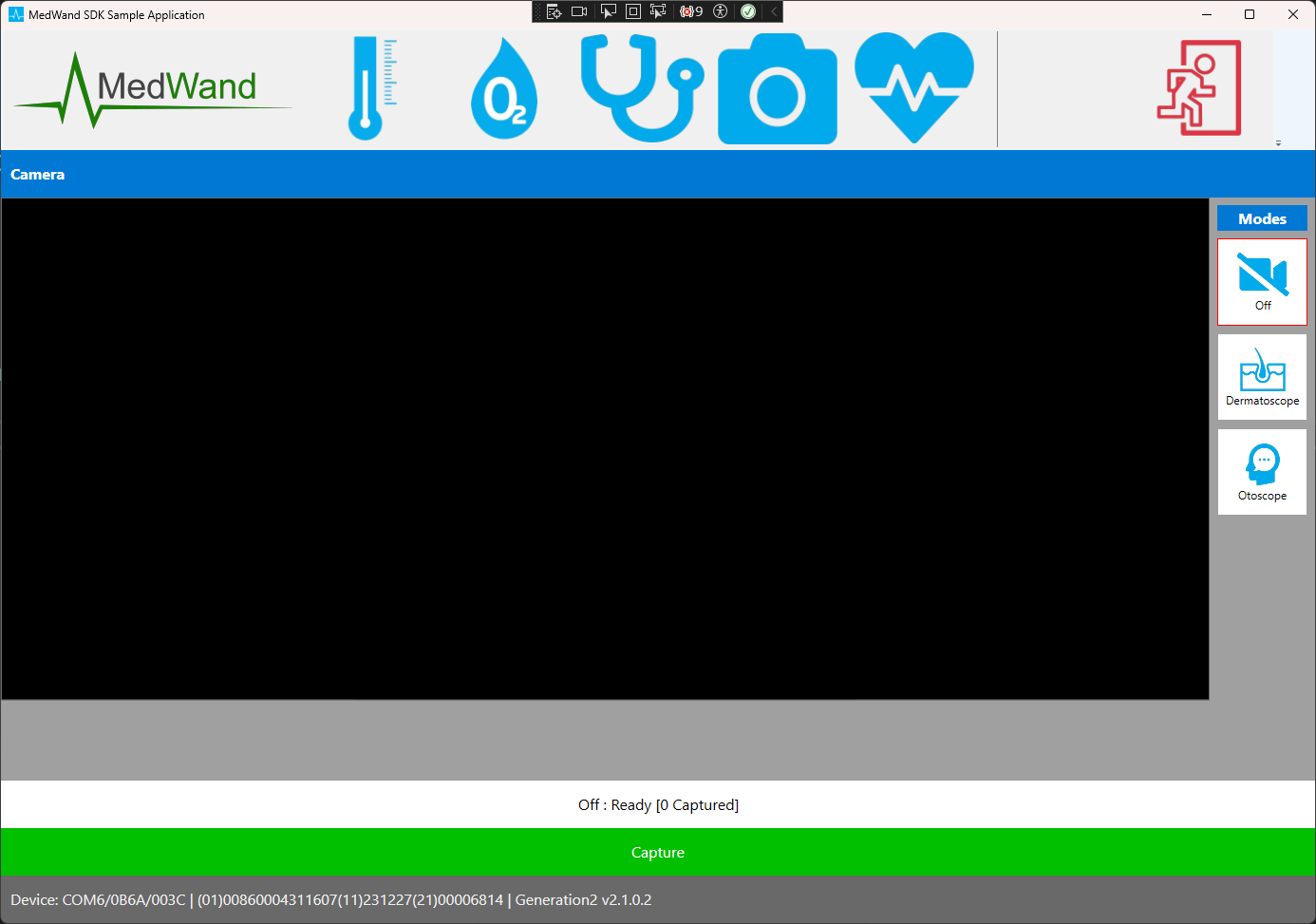
Start the Camera
_medWandController.SetCameraMode(_videoPreview, CameraModes.Dermatoscope);
KeyDown += (sender, key) =>
{
        switch (key)
        {
            case Key.Left:
                _medWandController.CameraMove(-1, null);
                return true;
            case Key.Right:
                _medWandController.CameraMove(1, null);
                return true;
            case Key.Up:
                _medWandController.CameraMove(null, -1);
                return true;
            case Key.Down:
                _medWandController.CameraMove(null, 1);
                return true;
            case Key.PageUp:
                _medWandController.CameraZoom(1);
                return true;
            case Key.PageDown:
                _medWandController.CameraZoom(-1);
                return true;
            case Key.Enter:
                _medWandController.CameraReset();
                return true;
        }
}
_medWandController.Camera.RecordedFrameReady += (sender, bytes) =>
{
     File.AppendAllText("captures.txt", $"[{DateTime.UtcNow:O}] {_medWandController.CameraModel} {CameraMode} -> {_medWandController.CameraBmpFromCapture(bytes)}\n");
     _framesCaptured++;
};
Capture a frame from the Dermatoscope or Otoscope
_medWandController.StartRecording();Stop the Camera
_medWandController.SetCameraMode(_videoPreview, CameraModes.Off);
_medWandController.Camera.RecordedFrameReady -= (sender, bytes) =>
{
     File.AppendAllText("captures.txt", $"[{DateTime.UtcNow:O}] {_medWandController.CameraModel} {CameraMode} -> {_medWandController.CameraBmpFromCapture(bytes)}\n");
     _framesCaptured++;
};